
- Home
- Author's Archive:
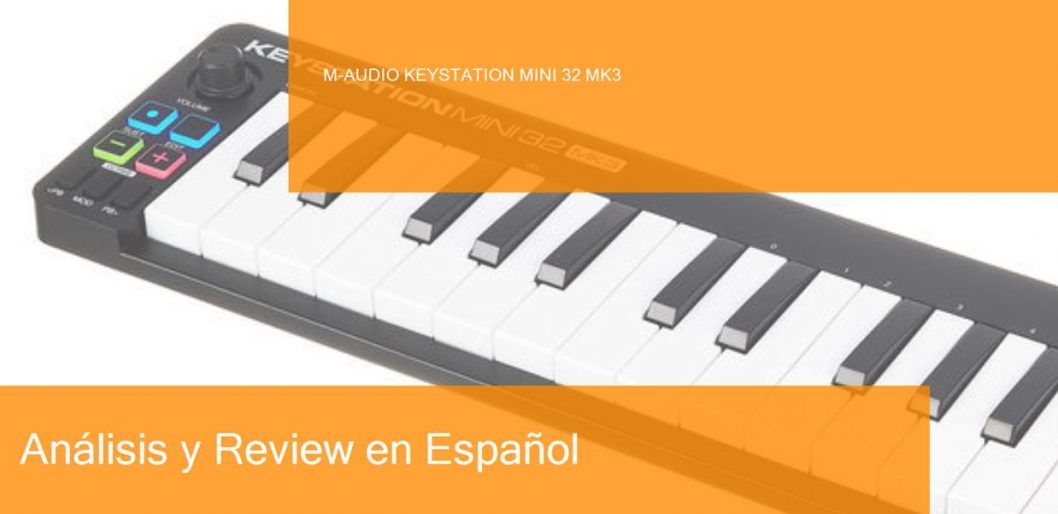
Review M-Audio Keystation Mini 32 MK3 MIDI keyboard. Where to buy it?
M-Audio is a business unit of inMusic Brands that designs and markets digital audio and MIDI interfaces, keyboards and MIDI controllers, synthesizers, speakers, studio monitors, digital DJ systems, microphones and music software. I’ll tell you how this post is built. First I will list the features of this M-Audio Keystation Mini 32 MK3 keyboard. Then you have a video or two, purchase links and useful comments from other users and then you have one of the most useful parts; comparison tables with similar keyboards so you can compare.
- 32 speed-sensitive flat-panel mini-keys
- 4 freely assignable controls (three buttons and a rotary knob)
- Selectable speed curves to adjust the sensitivity
- Assignable controls for pitch bend and modulation
- USB powered
- Plug&Play’ for Mac and PC
- Multicolor LED backlighting
- IPad compatible (requires iPad camera connection kit MC531ZM/A, not included)
- Includes Pro Tools First M-Audio Edition and AIR Music Tech Xpand!2
- Dimensions: 418 x 105 x 20 mm
- Weight: 0.45 kg
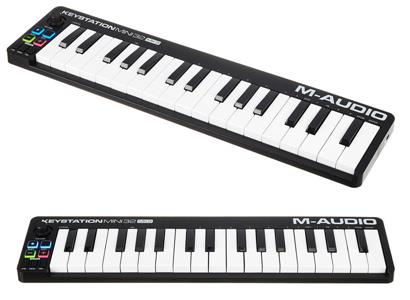
It also offers 4 freely assignable controls (three buttons and a rotary knob) and assignable controls for ‘pitch bend’ and modulation.
It is USB powered so no external power supply is needed, it has a Plug n’ Play function for Mac and PC. Includes the Pro Tools First M-Audio Edition and AIR Music Tech Xpand!2 licenses.
Now that we have seen the features of this M-Audio Keystation Mini 32 MK3 keyboard, watch these related videos to learn more.
Posts you may be interested in
- Ranking with the best midi keyboards
- My selection of cheap midi keyboards.
- Best MIDI Software to work with.
- MIDI Basic Guide.
- Midi Keyboards by Brand.
M-Audio Keystation Mini 32 MK3 vs Akai MPK mini Mk2
The M-Audio Keystation Mini 32 MK3 MIDI keyboard is priced at €48/£41/$48 and the Akai MPK mini MK2 white is priced at €79/£70/$81. Let’s go head to head:
- The M-Audio Keystation Mini 32 Mk3 offers 32 speed-sensitive flat mini-keys. And the Akai MPK Mini MK2 offers 25 mini synthesizer action keys.
- The M-Audio Keystation Mini 32 MK3 also offers 4 freely assignable controls (three buttons and a rotary knob) and assignable controls for ‘pitch bend’ and modulation. The Akai MPK mini MK2 offers 1 4-way thumbstick for dynamic pitch/modulation control, 8 MPC (MIDI Production Center) pads with note repeat, Arpeggiator buttons, octaves up/down, and 8 assignable control knobs.
- In connections, both integrate USB connection and are powered by the same means.
- The M-Audio Keystation Mini 32 MK3 includes the Pro Tools First M-Audio Edition and AIR Music Tech Xpand!2 licenses. And the Akai includes Hybrid 3 by AIR Music Tech, SONiVOX Wobble and Akai Pro MPC Essentials licenses.
Let’s put the features of these keyboards in a table so you can compare
|
M-Audio Keystation Mini 32 MK3 |
Akai MPK mini MK2 white |
|---|---|
|
|
Again, there are two similar MIDI controllers, the M-Audio Keystation Mini 32 MK2 with the features and functions we have already discussed above, and the Akai MPK mini MK2 offering 25 mini synthesizer action keys, 1 4-way thumbstick for dynamic pitch/modulation control, 8 MPC (MIDI Production Center) pads with note repeats, Arpeggiator buttons, octaves up/down, and 8 assignable control knobs.
The main advantage of the M-Audio is the larger number of keys, and the Akai’s main advantage is its larger number of control functions and a sustain pedal input, which if you’re used to using it, you’ll find very useful. If you need more keys go for the M-Audio, if not the Akai is an excellent choice of controller.
And here’s a video of the MK2 Akai MPK mini keyboard
If you want to know more about this option, click on the following link to see the Akai MPK mini Mk2 review
M-Audio Keystation Mini 32 MK3 vs Akai LPK 25
The M-Audio Keystation Mini 32 MK3 MIDI Keyboard is priced at €48/£41/$48 and the Akai LPK 25 is priced at €42/£37/$42, but the difference is so small that this may vary depending on the store where we ask. Let’s go face to face:
- The M-Audio Keystation Mini 32 Mk3 offers 32 speed-sensitive flat mini-cycles. And the Akai LPK 25 offers 25 sensitive mini keys.
- The M-Audio Keystation Mini 32 MK3 also offers 4 freely assignable controls (three buttons and a rotary knob) and assignable controls for pitch bend and modulation. The Akai LPK 25 offers buttons for: sustain, arpeggiator, octave up/down and tap tempo.
- In connections, both integrate USB connection and are powered by the same means.
- The M-Audio Keystation Mini 32 MK3 includes the Pro Tools First M-Audio Edition and AIR Music Tech Xpand!2 licenses. And the Akai LPK 25 includes a software editor for Mac and PC.
Let’s put the features of these keyboards in a table so you can compare
|
M-Audio Keystation Mini 32 MK3 |
Akai LPK 25 |
|---|---|
|
|
As a last comparison we have our already known M-Audio Keystation Mini 32 MK3 on one hand, and on the other hand, the Akai LPK 25 that offers 25 mini keys and its buttons for certain functions, a controller that we can say is something minimalist but it has as advantages great compatibility with different DAWs and in addition, it is very light and portable, if you look for something like this it will be your choice. If you want a controller with more functions the M-Audio Keystation Mini 32 MK3 is for you.
Here’s a video of the LPK 25 Akai keyboard
If you want to know more about this option, click on the following link to see the Akai LPK 25 review
M-Audio Keystation Mini 32 MK3 vs IK Multimedia iRig Keys 2
The M-Audio Keystation Mini 32 MK3 MIDI Keyboard is priced at €48/£41/$48 and the IK Multimedia iRig Keys 2 is priced at €133/£119/$132. Let’s go face-to-face:
- The M-Audio Keystation Mini 32 Mk3 offers 32 speed-sensitive flat keys and the IK Multimedia iRig Keys 2 offers 37 mini keys.
- The M-Audio Keystation Mini 32 MK3 also offers 4 freely assignable controls (three buttons and a rotary knob) and assignable controls for ‘pitch bend’ and modulation. The IK Multimedia iRig Keys 2 offers a volume control, 4 double-assignable knobs, 1 assignable Push Encoder, Octave-Up/Down buttons and Programm-Up/Down buttons, plus pitch bend and modulation wheels.
- In connections, both integrate USB connection and are powered by the same means. The IK Multimedia Keys 2 features MIDI In: 2.5mm mini-jack, MIDI Out: 2.5mm mini-jack, Headphone Out: 3.5mm stereo mini-jack and Pedal In: 6.3mm TRS jack. And cables for the connection of Apple devices (iPhone and iPad)
- The M-Audio Keystation Mini 32 MK3 includes the Pro Tools First M-Audio Edition and AIR Music Tech Xpand!2 licenses.
Let’s put the features of these keyboards in a table so you can compare
|
M-Audio Keystation Mini 32 MK3 |
IK Multimedia iRig Keys 2 |
|---|---|
|
|
In this interesting comparison we find two quality MIDI controllers, on the one hand, the already analyzed M-Audio Keystation Mini 32 MK3 and on the other hand the IK Multimedia iRig Keys 2 that offers 37 sensitive mini keys, a volume controller, 4 knobs with the double assignment, 1 assignable Pulse Encoder, Octave-Up/Down buttons and Programm-Up/Down buttons, as well as pitch bend and modulation wheels.
We have two very similar MIDI keyboards, but with a significant difference in price. To be more concise, if you work with Apple devices like (iPhone and iPad) you will have many advantages with the IK Multimedia iRig Keys 2 since it was created exclusively for that purpose, if not with the M-Audio Keystation Mini 32 MK3 you will surely be satisfied.
And here is a video of the IK Multimedia iRig Keys 2
If you want to know more about this option, click on the following link to see the IK Multimedia iRig Keys 2 review.
M-Audio Keystation Mini 32 MK3 vs M-Audio Keystation 49 MK3
The M-Audio Keystation Mini 32 MK3 MIDI keyboard is priced at €48/£41/$48 when the M-Audio Keystation 49 MK3 is priced at €88/£75/$87. Let’s move on to the face-to-face:
- The M-Audio Keystation Mini 32 Mk3 offers 32 speed-sensitive flat mini-keys. And the M-Audio Keystation 49 MK3 offers 49 full-size keys.
- The M-Audio Keystation Mini 32 MK3 also offers 4 freely assignable controls (three buttons and a rotary knob) and assignable controls for pitch bend and modulation. The M-Audio Keystation 49 MK3 offers transport buttons (rec, play, stop), an assignable fader, octave buttons, and pitch bend and modulation wheels.
- When connected, both feature an integrated USB connection and are powered by the same means. The M-Audio Keystation 49 MK3 features an integrated sustain pedal connection.
- The M-Audio Keystation Mini 32 MK3 includes a Pro Tools First M-Audio Edition and AIR Music Tech Xpand!2 license. The M-Audio Keystation 49 MK3 includes a Pro Tools First M-Audio Edition, Ableton Live Lite, AIR Mini Grand, AIR Velvet and AIR Xpand!2 license
Let’s put the features of these keyboards in a table so you can compare
|
M-Audio Keystation Mini 32 MK3 |
M-Audio Keystation 49 MK3 |
|---|---|
|
|
In this comparison, we find two slightly different MIDI controllers, on the one hand, we have the M-Audio Keystation Mini 32 MK3 that we already know and have analyzed before, and on the other hand, we find the M-Audio Keystation 49 MK3 that offers, in general, the same functions as its little brother, but with a larger and wider keyboard of 49 normal size keys.
There are certain producers or musicians who are not comfortable with mini keys, if you are one of them, or you want a MIDI controller with full-size keys, the M-Audio Keystation may be a good choice considering its 4-octave range, also remember that the price of the controller doubles as well. Either way, both are good options according to the user’s budget and needs.
Here is a video of the M-Audio Keystation 49 MK3 keyboard
https://www.youtube.com/watch?v=bvIS0YpmbzI
If you want to know more about this option, click on the following link to see the M-Audio Keystation 49 MK3
M-Audio Keystation Mini 32 MK3 vs Korg microKEY 25
The M-Audio Keystation Mini 32 MK3 MIDI Keyboard is priced at €48/£41/$48 while the Korg microKEY 25 is priced at €58/£55/$60, but the difference is so small that this may vary from store to store. Let’s move on to the face-to-face:
- The M-Audio Keystation Mini 32 Mk3 offers 32 flat speed-sensitive mini-keys and the Korg microKEY 25 offers 25 mini keys with Natural Touch.
- The M-Audio Keystation Mini 32 MK3 also offers 4 freely assignable controls (three buttons and a rotary knob) and assignable controls for ‘pitch bend’ and modulation. The Korg offers 8 speed-sensitive trigger pads, 8 rotary knobs, an X/Y Touch-Pad (KAOSS-Series), also, +/- octave button, X/Y button, Pitch/Modulation button, sustain button and arpeggiator button.
- In connections, both integrate USB connection and are powered by the same means.
- The M-Audio includes the Pro Tools First M-Audio Edition and AIR Music Tech Xpand!2 licenses, while the Korg microKEY 25 includes the Korg M1LE Software-Synth, Lounge Lizzard Session, Toontrack EZDrummer Lite licenses.
Let’s put the features of these keyboards in a table so you can compare
|
M-Audio Keystation Mini 32 MK3 |
Korg microKEY 25 |
|---|---|
|
|
In our first comparison, we have two good MIDI controllers, one being the M-Audio Keystation Mini 32 MK3 which offers 32 speed-sensitive flat mini keys, 4 freely assignable controls (three buttons and a rotary knob) and assignable controls for pitch bend and modulation. In addition, the Korg microKEY 25 offers 25 mini keys, 8 speed-sensitive trigger pads, 8 rotary knobs, an X/Y Touch-Pad (KAOSS-Series), also, +/- octave button, X/Y button, Pitch/Modulation button, sustain button and arpeggiator button.
As an advantage of the M-Audio, we can mention a larger number of keys, and with such a small difference in price, we can mention that it is the best choice of controller.
Here’s a video of the Korg microKEY 25 keyboard
If you want to know more about this option, click on the following link to see the Korg microKEY 25 review.
Which is the best of these MIDI keyboards if I am a beginner on a low budget?
While the answer to this question lies mostly in what specific need you have, for example, if you want to have a keyboard with the widest range of notes possible, or if you want to have as many control functions as possible, or perhaps a mix between the two, that is without leaving behind the different connections and software licenses that most MIDI controllers offer, we will give an objective opinion according to our experience in music production and thus also with the price demanded by the controllers, a kind of value for money.
In this post we find some economical MIDI controllers since none of them exceed 90 euros, and as a star product we can nominate the Akai MPK mini MK2 which although it is not one of the cheapest, it is one of the most balanced in its control and design functions. It features 25 mini keys and 1 4-way tone/modulation thumbstick, MPC (MIDI Production Center) pads and 8 assignable control knobs. The design is compact and lightweight with an integrated sustain pedal. Excellent MIDI controller with a fair price.
Where to buy the M-Audio Keystation Mini 32 MK3
Thomann
- Free Shipping.
- Full warranty. If you have any problems, they take care of everything.
- 100% reliable payment.
- A leader in trouble-free shipping.
- Usually the Best price.
- Best Reputation: They are the leading online store in Europe and have the best catalog and information.
Amazon
- Free Shipping and the possibility of shipping in one day with Amazon Premium.
- Full Guarantee but they are no experts in music equipment.
- Sometimes a better price.
- He’s got worse stock than Thomann.
Also, look at these models with a similar price and features:
- Novation Launchkey Mini MK3
- Akai MPK mini Mk2
- Akai MPK miniplay
- Roli Lightpad Block M Studio Ed.
- Arturia MiniLab MKII
- Roli Beatmaker Kit
- Novation Impulse 25
- Akai MPK mini MK2 white
- Alesis V25
- CME Xkey Air 25
- IK Multimedia iRig Keys I/O 25
- Akai APC Keys 25
- Akai LPK 25
- M-Audio Code 25 black
- Native Instruments Komplete Kontrol A25
- Novation Launchkey Mini MK2
- Alesis V mini
- Arturia MicroLab Black
- Akai LPK 25 wireless
- Akai MPK mini Limited Black
- Arturia MiniLab MKII Inverted Edition
- M-Audio Oxygen 25 Mk4
- Korg nanoKEY Studio
- Swissonic EasyKey 25
- Korg nanoKEY 2 black
- Korg nanoKEY 2 Limited Orange
- Korg nanoKEY 2 Limited Blue
- Akai MPK mini MK2 white – AIEP3 Bdl
- Nektar Impact LX25+
- Novation Launchkey 25 MK2
- Alesis Q25
- Akai MPK 225
- Korg microKEY 25
- Miditech Midistart Music 25
- Alesis VI25
- Korg nanoKEY 2 white
- Arturia MicroLab Blue
- Nektar SE25
- Korg microKEY Air 25
- IK Multimedia iRig Keys 25
- Midiplus X2 mini
- Icon iKeyboard 3X
- Keith McMillen K-Board
- CME Xkey 25 silver
- Native Instruments Komplete Kontrol M32
- Alesis V49
- Arturia Keystep Black Edition
- Swissonic EasyKey 49
- Arturia Keystep
- Arturia KeyLab Essential 49
- Nektar Impact LX49+
- M-Audio Code 49 Black
- IK Multimedia iRig Keys 2 Pro
- M-Audio Keystation 49 MK3
- M-Audio Keystation Mini 32 MK3
- Novation Impulse 49
- Nektar Impact GX 49
- Novation Launchkey 49 Mk2
- Native Instruments Komplete Kontrol A49
- M-Audio Oxygen 49 Mk4
- Alesis Q49 Keyboard Controller
- Roland A-300 Pro
- IK Multimedia iRig Keys I/O 49
- Alesis VI49
- Midiplus AK490
- Alesis Vortex Wireless 2
- M-Audio Axiom Air Mini 32
- Alesis Vortex Wireless 2 Network
- IK Multimedia iRig Keys 37 Pro
- Arturia KeyLab Essential 49 BE
- Haken Audio Continuum Half Size
- CME Xkey 37 LE
- IK Multimedia iRig Keys Pro
- Korg microKEY 49 MkII
- IK Multimedia iRig Keys 2
- Miditech Midistart Music 49
- Roland A-49 Black
- Korg microKEY 37 MkII
- Swissonic ControlKey 49
- Roland A-500 PRO
- Nektar SE49
- Korg microKEY Air 37
- Korg microKEY Air 49
- Roland A-49 White
- Nektar Panorama T4
- Miditech Garagekey mini
- Miditech Minicontrol-32
- Midiplus X3 mini
- Miditech i2-Control 37 Black
- Icon iKeyboard 4X
- Miditech i2-mini 32
- Midiplus X4 mini
- Miditech i2-mini 32 Bluetooth
- Icon iKeyboard 5X
- Acorn Masterkey 49
- M-Audio Code 61 Black
- Arturia KeyLab Essential 61
- Nektar Impact GX 61
- M-Audio Keystation 61 MK3
- Alesis V61
- Native Instruments Komplete Kontrol A61
- Swissonic EasyKey 61
- M-Audio Oxygen 61 Mk4
- Roland A-800 Pro
- Korg microKEY Air 61
- GSi DMC-122
- Nektar Impact LX61+
- Alesis VI61
- Novation Launchkey 61 MK2
- Icon iKeyboard 6X
- Acorn Masterkey 61
- Miditech i2-61 Black Edition
- Midiplus X6 mini
- Korg microKEY 61 MkII
- Midiplus X-6 II
- Viscount Physis Piano K5 EX
- M-Audio Keystation 88 MkII
- Kawai VPC1
- Doepfer LMK2+ 88 GH
- Doepfer LMK4+ 88 GH black
- Swissonic ControlKey 88
- Viscount Physis Piano K4 EX
- Doepfer LMK4+ 88 GH grey
- Nektar Impact LX88+
- Haken Audio Continuum Full Size
- Midiplus Stage 88
- Studiologic Numa Concert
- Icon iKeyboard 8X
- Doepfer LMK2+ 88 GH without Case
- Midiplus X-8 II
- Doepfer LMK4+ 88 GH GR without Case

Review MIDI keyboard Novation Impulse 49. Where to buy it?
Novation Digital Music Systems Ltd. is a British music equipment manufacturer, founded in 1992 by Ian Jannaway and Mark Thompson as Novation Electronic Music Systems. I’ll tell you how this post is built. First I list the features of this Novation Impulse 49 keyboard. Then you have a video or two, purchase links and useful comments from other users and then you have one of the most useful parts; comparison tables with similar keyboards so you can compare.
- 49 semi-weighted keys and Aftertouch
- Full DAW control and plug-in operation
- 8 Backlit Drum Pads
- 9 Fader of 55mm
- 9 assignable buttons
- 8 rotary controllers
- 6 transport keys
- Pitch and modulation wheels
- 2-octave keys
- Arpeggiator
- Beat-Roll and Clip-Launch buttons
- LCD screen
- USB connection
- Connections for expression and sustain pedals
- MIDI in/out
- Automap-Control-Software
- Includes Xcite+ Software Pack, with Ableton Live Lite
- Size: 846 x 332 x 100 mm
- Weight: 5kg

This equipment also offers 8 backlit Drum-Pads, 9 assignable 55mm faders, 9 assignable buttons, 8 assignable knobs, 6 transport keys (rec, play, pause, stop, etc) and pitch bend and modulation wheels, all of these control functions so that we have more than moderate control over the performance of the audio software we are using.
There are also buttons for specific functions such as the Beat-Roll Buttons (which allow us to roll a sample we are playing) and Clip-Launch (which, as its name suggests, is for playing a previously selected audio clip), and there is also an arpeggiator function.
The Novation Impulse 49 has a USB connection, which means that it is also powered, so no other power supply is needed. It also has inputs for expression and sustains pedals.
Finally, the device includes the Xcite+ Software Pack licenses with Ableton Live Lite.
Now that we have seen the features of this Novation Impulse 49 keyboard watch these related videos to learn more.
Posts you may be interested in
- Ranking with the best midi keyboards
- My selection of cheap midi keyboards.
- Best MIDI Software to work with.
- MIDI Basic Guide.
- Midi Keyboards by Brand.
Novation Impulse 49 vs Novation Launchkey 49 MK3
The Novation Impulse 49 MIDI Keyboard is priced at €223/£205/$227 while the Novation Launchkey 49 MK3 is priced at €222/£205/$224, but the difference is so small that this may vary depending on the store where we ask. Let’s go to the face-to-face:
- Both offer 49 speed-sensitive keys, which in the Novation Impulse 49 are semi-weighted and aftertouch.
- The Novation Impulse 49 offers 8 backlit Drum Pads, 9 assignable faders, 9 assignable buttons, 8 assignable knobs, 6 transport keys (rec, play, pause, rec, etc) and pitch bend and modulation wheels.
- The Novation Launchkey 49 MK3 offers 16 sensitive RGB illuminated Pads, Pitch and Modulation Wheels, 8 assignable knobs and buttons for octave up / down, arp / scale / fixed chord, play / stop / record / loop, track navigation, stop / solo / mute, MIDI capture / quantization / click / undo, scene start, Device selection and Device lock functions.
- The Novation Impulse 49 has a USB connection and inputs for expression and sustain pedals. And the Novation Launchkey 49 MK3 has a USB connection and input for a sustain pedal and MIDI output. Both are USB powered, no external source is required.
- The Novation Impulse 49 includes the Xcite+ Software Pack, with Ableton, and the Novation Launchkey 49 MK 3 includes the Ableton Live Lite, Serato Sample LE, AAS Session Bundle, XLN Addictive Keys (1 of 4 virtual keyboards selectable), Klevgrand R0Verb and DAW Cassette, Spitfire Audio LABS-Expressive Strings.
Let’s put the features of these keyboards in a table so you can compare
|
Novation Impulse 49 |
Novation Launchkey 49 MK3 |
|---|---|
|
|
In our first comparison, we have two Novation brand MIDI controllers, the Impulse 49 and the Launchkey MK 3 with similar functions but with noticeable differences between them, while the Impulse 49 excels in semi-weighted and aftertouch, the Launchkey 49 MK3 excels in a greater number of pads and its MIDI output. The other functions are very similar. For a few more euros, the Impulse 49 option looks more attractive, unless you need the MIDI Output.
Here is a video of the Novation Launchkey 49 MK3
If you want to know more about this option, click on the following link to see the Novation Launchkey 49 MK3 review.
Novation Impulse 49 vs M-Audio Oxygen 49 Mk4
The Novation Impulse 49 MIDI Keyboard is priced at €223/£205/$227 and the M-Audio Oxygen 49 Mk4 is priced at €125. This is a difference of 118 euros. Let’s go head to head:
- Both offer 49 speed-sensitive keys, which in the Novation Impulse 49 are semi-weighted and aftertouch.
- The Novation Impulse 49 offers 8 backlit Drum Pads, 9 assignable faders, 9 assignable buttons, 8 assignable knobs, 6 transport keys (rec, play, pause, rec, etc) and pitch bend and modulation wheels.
- The M-Audio Oxygen 49 Mk4 features 8 assignable Sensitive Pads, 8 assignable Faders, 9 assignable Faders and a Transport Button. In addition to pitch bend and modulation wheels.
- The Novation Impulse 49 has a USB connection and inputs for expression and sustain pedals. And the M-Audio Oxygen 49 Mk4 has a USB connection and input for the sustain pedal. Both are USB powered, requiring no external source.
- The Novation Impulse 49 includes the Xcite+ Software Pack with Ableton, and the M-Audio Oxygen 49 Mk4 includes the Quickstart Guide, Ableton Live Lite (Software) and Sonivox Twist (Software) licenses.
Let’s put the features of these keyboards in a table so you can compare
|
Novation Impulse 49 |
M-Audio Oxygen 49 Mk4 |
|---|---|
|
|
Here, a face-to-face encounter between two Novation brand MIDI keyboards, the Impulse 49, which we have already discussed, and the M-Audio Oxygen 49, which offers a number of moderate control functions, with pads, knobs, and faders (which are very useful for mixing purposes) and a transport button. With a big difference in price, the M-Audio is a good choice for a budget, but thanks to its semi-weighted keyboard and aftertouch, the Novation Impulse 49 is the best choice, although you’ll have to raise your budget.
Here is a video of the M-Audio Oxygen 49 Mk4 keyboard
If you want to know more about this option, click on the following link to see the M-Audio Oxygen 49 Mk4 review.
Novation Impulse 49 vs Arturia KeyLab Essential 49
The MIDI Novation Impulse 49 Keyboard is priced at €223/£205/$227, the Arturia KeyLab Essential 49 is priced at €199/£177/$198, with a difference of €44. Let’s look at the face to face.
- Both offer 49 speed-sensitive keys, which in the Novation Impulse 49 are semi-weighted and with aftertouch.
- The Novation Impulse 49 offers 8 backlit Drum Pads, 9 assignable faders, 9 assignable buttons, 8 assignable knobs, 6 transport keys (rec, play, pause, rec, etc) and pitch bend and modulation wheels.
- The Arturia KeyLab Essential 49 offers 8 speed-sensitive pads with Aftertouch, 1 assignable encoder, 9 assignable knobs, 13 assignable buttons and a transport section with 4 function switches (rec, play, etc).
- The Novation Impulse 49 has a USB connection and inputs for expression and sustain pedals. And the Arturia KeyLab Essential 49 has a USB connection and input for a sustain pedal and MIDI output. Both are USB powered, no external source is needed.
- The Novation Impulse 49 includes the Xcite+ Software Pack, with Ableton, and the Arturia KeyLab Essential 49 includes the Arturia Analog Lab 3, Ableton Live Lite and UVI Grand Piano licenses.
Let’s put the features of these keyboards in a table so you can compare
|
Novation Impulse 49 |
Arturia KeyLab Essential 49 |
|---|---|
|
|
In this close comparison we find two almost identical MIDI controllers in function, on the one hand, the already analyzed Novation Impulse 49, and on the other the Arturia KeyLab Essential 49 that has features like pads, push-on encoder, knobs, buttons, and a transport section, if it had faders it would be highly valued as well. Even so, the Novation Impulse 49 is still a better piece of equipment thanks to its semi-weighted keyboard and aftertouch on its keys, as well as its faders.
And here’s a video of the Arturia KeyLab Essential 49
If you want to know more about this option, click on the following link to see the Arturia KeyLab Essential 49 review.
Novation Impulse 49 vs M-Audio Code 49 Black
The Novation Impulse 49 MIDI Keyboard is priced at €223/£205/$227 and the M-Audio Code 49 Black is priced at €199/£177/$199, with the difference being $44.
- Both offer 49 speed-sensitive keys with aftertouch, which in the Novation Impulse 49 are semi-weighted.
- The Novation Impulse 49 offers 8 backlit Drum Pads, 9 assignable faders, 9 assignable buttons, 8 assignable knobs, 6 transport keys (rec, play, pause, rec, etc.) and pitch bend and modulation wheels.
- The M-Audio Code 49 Black features an assignable XY pad control, 16 assignable sensitive trigger pads, 8 assignable knobs, 9 assignable faders, 9 assignable buttons, and pitch bend and modulation wheels.
- The Novation Impulse 49 has a USB connection and inputs for expression and sustain pedals. And the M-Audio Code 49 Black has a USB connection and input for sustain and volume pedals, as well as MIDI output. Both are USB powered, although the M-Audio Code 49 has a power supply input that is not included.
- The Novation Impulse 49 includes the Xcite+ Software Pack with Ableton and the M-Audio Code 49 Black includes Ableton Live Lite, Hybrid 3.0 and Loom by Air Music Technology.
Let’s put the features of these keyboards in a table so you can compare
|
Novation Impulse 49 |
M-Audio Code 49 Black |
|---|---|
|
|
Again, there is a pair of MIDI controllers that have very similar features and functions. On the one hand, the Novation Impulse 49, which we have already analyzed. On the other hand, we have the M-Audio Code 49 Black which offers: 1 xy control pad (which few controllers offer), pads, knobs, faders and buttons, which compete very well with the Novation Impulse 49. A very difficult choice, which according to your needs you will choose the best one.
Here’s a video of the M-Audio Code 49 Black keyboard
If you want to know more about this option, click on the following link to see the M-Audio Code 49 Black review.
Novation Impulse 49 vs Novation 49SL MKIII
The Novation Impulse 49 MIDI Keyboard is priced at €223/£205/$227 when the Novation 49SL MKIII is priced at €555/£515/$567. With a relevant difference of €312. Let’s go face-to-face:
- Both offer 49 semi-weighted keys with speed sensitivity with aftertouch.
- The Novation Impulse 49 offers 8 backlit Drum Pads, 9 assignable faders, 9 assignable buttons, 8 assignable knobs, 6 transport keys (rec, play, pause, rec, etc) and pitch bend and modulation wheels.
- The Novation 49SL MKIII offers 16 RGB illuminated and sensitive percussion pads, 8 assignable knobs, 8 assignable faders, 6 transport control buttons (rec, play, stop, pause, etc.), 16 assignable buttons on 2 banks and pitch bend and modulation wheels.
- The Novation Impulse 49 has a USB connection and inputs for expression and sustain pedals. And the Novation 49SL MKIII offers 2 CV (tone), gate and modulation outputs, clock output (3.5 mm jack), inputs for sustain, expression and footswitch pedals (6.3 mm jack), MIDI In, Out, Out2 / Thru and USB port. Both are USB powered, although the Novation 49SL MKIII has a power supply input that is not included.
- The Novation Impulse 49 includes the Xcite+ Software Pack licenses, with Ableton and the Novation 49SL MKIII includes the Ableton Live Lite licenses, 4 GB of Loopmasters sounds, XLN Audio .
Let’s put the features of these keyboards in a table so you can compare
|
Novation Impulse 49 |
Novation 49SL MKIII |
|---|---|
|
|
We find two Novation brand controllers, the already analyzed Novation Impulse 49, while the Novation 49SL MKII that has a higher number in certain functions, besides certain more features, such as 8 patterns per track, 64 memory locations for sessions, pattern chain and note quantization function, among others. Also, the price is almost double that of the first one, so the Novation Impulse 49 is an excellent choice for its price range, however, the Novation 49SL MKIII is better.
And here is a video of the Novation 49SL MKIII keyboard
If you want to know more about this option, click on the following link to see the Novation 49SL MKIII review.
Which is the best of these MIDI keyboards if I am a beginner on a low budget?
While the answer to this question lies mostly in what specific need you have, for example, if you want to have a keyboard with the widest range of notes possible, or if you want to have as many control functions as possible, or perhaps a mix between the two, that is without leaving behind the different connections and software licenses that most MIDI controllers offer, we will give an objective opinion according to our experience in music production and thus also with the price that the controllers demand, a kind of value for money.
Here we have the most controllers at an average of 250 euros, and the M-Audio Oxygen 49 MK4 is our star MIDI controller in this post, due to its great set of control functions that we find in other controllers with double its price, and among them, we have XY control pad, sensitive trigger pads, encoders, faders, and buttons all assignable. The only disadvantage it has is the absence of semi-balanced in its keyboard, which if it exists in other controllers, is at least 100 euros in its value. For this and more, M-Audio Oxygen 49 is a great choice for beginners.
Where to buy the Novation Impulse 49 keyboard
Thomann
- Free Shipping.
- Full warranty. If you have any problems, they take care of everything.
- 100% reliable payment.
- A leader in trouble-free shipping.
- Usually the Best price.
- Best Reputation: They are the leading online store in Europe and have the best catalog and information.
Amazon
- Free Shipping and the possibility of shipping in one day with Amazon Premium.
- Full Guarantee but they are no experts in music equipment.
- Sometimes a better price.
- He’s got worse stock than Thomann.
Also, look at these models with a similar price and features:
- Novation Launchkey Mini MK3
- Akai MPK mini Mk2
- Akai MPK miniplay
- Roli Lightpad Block M Studio Ed.
- Arturia MiniLab MKII
- Roli Beatmaker Kit
- Novation Impulse 25
- Akai MPK mini MK2 white
- Alesis V25
- CME Xkey Air 25
- IK Multimedia iRig Keys I/O 25
- Akai APC Keys 25
- Akai LPK 25
- M-Audio Code 25 black
- Native Instruments Komplete Kontrol A25
- Novation Launchkey Mini MK2
- Alesis V mini
- Arturia MicroLab Black
- Akai LPK 25 wireless
- Akai MPK mini Limited Black
- Arturia MiniLab MKII Inverted Edition
- M-Audio Oxygen 25 Mk4
- Korg nanoKEY Studio
- Swissonic EasyKey 25
- Korg nanoKEY 2 black
- Korg nanoKEY 2 Limited Orange
- Korg nanoKEY 2 Limited Blue
- Akai MPK mini MK2 white – AIEP3 Bdl
- Nektar Impact LX25+
- Novation Launchkey 25 MK2
- Alesis Q25
- Akai MPK 225
- Korg microKEY 25
- Miditech Midistart Music 25
- Alesis VI25
- Korg nanoKEY 2 white
- Arturia MicroLab Blue
- Nektar SE25
- Korg microKEY Air 25
- IK Multimedia iRig Keys 25
- Midiplus X2 mini
- Icon iKeyboard 3X
- Keith McMillen K-Board
- CME Xkey 25 silver
- Native Instruments Komplete Kontrol M32
- Alesis V49
- Arturia Keystep Black Edition
- Swissonic EasyKey 49
- Arturia Keystep
- Arturia KeyLab Essential 49
- Nektar Impact LX49+
- M-Audio Code 49 Black
- IK Multimedia iRig Keys 2 Pro
- M-Audio Keystation 49 MK3
- M-Audio Keystation Mini 32 MK3
- Novation Impulse 49
- Nektar Impact GX 49
- Novation Launchkey 49 Mk2
- Native Instruments Komplete Kontrol A49
- M-Audio Oxygen 49 Mk4
- Alesis Q49 Keyboard Controller
- Roland A-300 Pro
- IK Multimedia iRig Keys I/O 49
- Alesis VI49
- Midiplus AK490
- Alesis Vortex Wireless 2
- M-Audio Axiom Air Mini 32
- Alesis Vortex Wireless 2 Network
- IK Multimedia iRig Keys 37 Pro
- Arturia KeyLab Essential 49 BE
- Haken Audio Continuum Half Size
- CME Xkey 37 LE
- IK Multimedia iRig Keys Pro
- Korg microKEY 49 MkII
- IK Multimedia iRig Keys 2
- Miditech Midistart Music 49
- Roland A-49 Black
- Korg microKEY 37 MkII
- Swissonic ControlKey 49
- Roland A-500 PRO
- Nektar SE49
- Korg microKEY Air 37
- Korg microKEY Air 49
- Roland A-49 White
- Nektar Panorama T4
- Miditech Garagekey mini
- Miditech Minicontrol-32
- Midiplus X3 mini
- Miditech i2-Control 37 Black
- Icon iKeyboard 4X
- Miditech i2-mini 32
- Midiplus X4 mini
- Miditech i2-mini 32 Bluetooth
- Icon iKeyboard 5X
- Acorn Masterkey 49
- M-Audio Code 61 Black
- Arturia KeyLab Essential 61
- Nektar Impact GX 61
- M-Audio Keystation 61 MK3
- Alesis V61
- Native Instruments Komplete Kontrol A61
- Swissonic EasyKey 61
- M-Audio Oxygen 61 Mk4
- Roland A-800 Pro
- Korg microKEY Air 61
- GSi DMC-122
- Nektar Impact LX61+
- Alesis VI61
- Novation Launchkey 61 MK2
- Icon iKeyboard 6X
- Acorn Masterkey 61
- Miditech i2-61 Black Edition
- Midiplus X6 mini
- Korg microKEY 61 MkII
- Midiplus X-6 II
- Viscount Physis Piano K5 EX
- M-Audio Keystation 88 MkII
- Kawai VPC1
- Doepfer LMK2+ 88 GH
- Doepfer LMK4+ 88 GH black
- Swissonic ControlKey 88
- Viscount Physis Piano K4 EX
- Doepfer LMK4+ 88 GH grey
- Nektar Impact LX88+
- Haken Audio Continuum Full Size
- Midiplus Stage 88
- Studiologic Numa Concert
- Icon iKeyboard 8X
- Doepfer LMK2+ 88 GH without Case
- Midiplus X-8 II
- Doepfer LMK4+ 88 GH GR without Case

Review MIDI keyboard Nektar Impact GX 49. Where to buy it?
Nektar Technology’s MIDI controllers offer unrivaled remote control for your music software and are packed with powerful features. They bridge the gap between software and hardware with Nektar DAW control for most major DAWs and performance tools that help you create music more intuitively. I’ll tell you how this post is built. First I list the features of this Nektar Impact GX 49 keyboard. Then you have a video or two, purchase links and useful comments from other users and then you have one of the most useful parts; comparison tables with similar keyboards so you can compare.
- 49 ‘full size’ speed-sensitive keys with ‘synth-action
- 4-speed curves
- A total of 14 assignable MIDI buttons
- Transport Controls: Play, Stop, Record, Rewind and Fast Forward
- Advanced Transport Functions: Loop On/Off, Tap On/Off, Go to Locator, and Undo
- Transposition and octave shift button backlit
- Deep integration with the DAW including track volume/track selection, patch selection and more
- Volume control of the mixture using the knobs
- USB powered
- Plug and play compatible
- Connectors: Sustain pedal (6.35mm), USB
- Includes Bitwig 8-track software (license per download)
- Compatible with Windows 7, 8, 10, Mac osx 10.5 or higher, Linux Ubuntu 4.14
- Compatible with ios with the Apple Camera Connection Kit (not included)
- Compatible with all popular DAWs including Cubase, Nuendo, Logic, Reason, Bitwig, Studio One, Cakewalk Sonar, Digital Perfomer, Fruity Loops, Garageband and Reaper
- Dimensions: 803 x 197 x 70mm
- Weight: 2,18kg

In addition to the control functions: transport buttons (rec, play, pause), octave up/down and in total 14 assignable MIDI buttons, plus pitch bend and modulation wheels.
In connections, the Nektar Impact GX 49 has an integrated sustain pedal input and a USB connection.
Now that we have seen the features of this Nektar Impact GX 49 keyboard look at these related videos to find out more.
https://www.youtube.com/watch?v=hGMZubn3ZK0
Posts you may be interested in
- Ranking with the best midi keyboards
- My selection of cheap midi keyboards.
- Best MIDI Software to work with.
- MIDI Basic Guide.
- Midi Keyboards by Brand.
Nektar Impact GX 49 vs Alesis V49
The Nektar Impact GX 49 MIDI Keyboard is priced at €79/£73/$80 and the Alesis V49 is priced at €91/£79/$91. Let’s go head to head:
- Both offer 49 full-size keys.
- The Nektar Impact GX 49 offers transport buttons (rec, play, pause), octave up/down and in total 14 assignable MIDI buttons, plus pitch bend and modulation wheels. While the Alesis V49 offers 8 speed-sensitive (MIDI language intensity) backlit pads, 4 assignable knobs and buttons, pitch bend and modulation wheels, and up/down octave buttons.
- Both integrate a USB connection and a sustain pedal input.
Let’s put the features of these keyboards in a table so you can compare
|
Nektar Impact GX 49 |
Alesis V49 |
|---|---|
|
|
In our first comparison, we have the Nektar Impact GX 49 which offers 49 keys with synth action, transport buttons (rec, play, pause), octave up/down and in total 14 assignable MIDI buttons, plus pitch bend and modulation wheels. And the Alesis V49 offers 49 full-size keys, 8 backlit velocity-sensitive pads (intensity in MIDI language), 4 assignable knobs and 4 buttons, pitch bend and modulation wheels and up/down octave buttons.
As an advantage of the Nektar Impact GX 49 we have a great compatibility with different DAWs, and as an advantage of the Alesis V49 we have its 4 assignable knobs and 4 buttons, and licenses that for beginners are very valued. Both are good MIDI controllers and you can make your decision according to your taste, both will be good options for their required price.
And here is a video of the Alesis V49 keyboard
If you want to know more about this option, click on the following link to see the Alesis V49 review.
Nektar Impact GX 49 vs Roland A-49 Black
The Nektar Impact GX 49 MIDI Keyboard is priced at €79/£73/$80 and the Roland A-49 Black is priced at €169/£155/$170, with a noticeable difference of £107. Let’s go head to head:
- Both offer 49 full-size keys.
- The Nektar Impact GX 49 offers transport buttons (rec, play, pause), octave up/down and in total 14 assignable MIDI buttons, plus pitch bend and modulation wheels. While the Roland A-49 offers two controllers and two buttons, both assignable, a D-Beam controller, octave up/down buttons, and other function buttons.
- The Nektar Impact GX 49 has an integrated USB connection and a sustain pedal input. The Roland A-49 has two inputs for both expression and sustain pedals, plus a MIDI output and USB connection.
Let’s put the features of these keyboards in a table so you can compare
|
Nektar Impact GX 49 |
Roland A-49 Black |
|---|---|
|
|
In this comparison we have on the one hand the Nektar Impact GX 49 and its respective functions and features, and on the other hand the Roland A-49 Black which offers 49 large format sensitive keys, two controllers and two buttons, both assignable, a D-Beam controller (we will talk about this function later), octave up/down buttons, and buttons for other functions.
The advantages of the Nektar Impact GX 49 are its advanced transport functions and the buttons on these. The advantages of the Roland A-49 are its two assignable knobs and buttons, and also its D-Beam Controller function, which is a Roland patent, and is an infrared beam that is an interface that can control and manipulate sounds by hand movements interacting with an infrared beam of light. Due to this interesting function we can say that it is a better controller.
And here’s a video of the Roland A-49 Black keyboard
If you want to know more about this option, click on the following link to see the Roland A-49 Black review
Nektar Impact GX 49 vs M-Audio Keystation 49 MK3
The Nektar Impact GX 49 MIDI Keyboard is priced at €79/£73/$80 when the M-Audio Keystation 49 MK3 is priced at €88/£75/$87, with a small difference of €11. Let’s go head to head:
- Both offer 49 full-size keys.
- The Nektar Impact GX 49 offers transport buttons (rec, play, pause), octave up/down and a total of 14 assignable MIDI buttons, plus pitch bend and modulation wheels. While the M-Audio Keystation 49 MK3 offers transport buttons (rec, play, pause), an assignable fader, movement buttons, octave up/down buttons, and pitch bend and modulation wheels.
- Both feature an integrated USB connection and a sustain pedal input.
Let’s put the features of these keyboards in a table so you can compare
|
Nektar Impact GX 49 |
M-Audio Keystation 49 MK3 |
|---|---|
|
|
In this comparison we have on the one hand the Nektar Impact GX 49 with its functions and features, and on the other hand we have the M-Audio Keystation 49 MK3 which offers 49 speed-sensitive keys, transport buttons (rec, play, pause), an assignable fader, movement buttons, octave up/down buttons and pitch bend and modulation wheels.
We found very similar MIDI controllers, with their respective advantages and disadvantages. The advantages of the Nektar Impact GX 49 are its advanced transport features, and the M-Audio Keystation 49 MK3 has an assignable fader. Both are good MIDI controllers for the price they demand.
Here’s a video of the M-Audio Keystation 49 MK3 keyboard
If you want to know more about this option, click on the following link to see the M-Audio Keystation 49 MK3 review.
Nektar Impact GX 49 vs Nektar Impact LX61+
The Nektar Impact GX 49 MIDI Keyboard is priced at €79/£73/$80 and the Nektar Impact LX61+ is priced at €148/£133/$148. Let’s move on to the face-to-face:
- The Nektar Impact GX 49 offers 49 full-size keys. The Nektar Impact LX61+ offers 61 speed-sensitive keys.
- The Nektar Impact GX 49 offers transport buttons (rec, play, pause), octave up/down and in total 14 assignable MIDI buttons, plus pitch bend and modulation wheels. The Nektar Impact LX61+ has 9 30mm faders, 8 rotary encoders, 9 assignable buttons, 6 transport buttons, octave up/down buttons, and pitch bend and modulation wheels.
- Both integrate a USB connection and a sustain pedal input.
Let’s put the features of these keyboards in a table so you can compare
|
Nektar Impact GX 49 |
Nektar Impact LX61+ |
|---|---|
|
|
In this comparison we have on the one hand the Nektar Impact GX 49 which we analysed earlier, and on the other hand we have the Nektar Impact LX61+ which offers 61 speed sensitive keys, 9 30mm faders, 8 rotary encoders, 9 assignable buttons, 6 transport buttons, octave up/down buttons and pitch bend and modulation wheels.
As we have shared before, the Nektar Impact GX 49 has the advantage of advanced transport functions, however the Nektar Impact LX61+ outperforms it by having many more control functions such as: faders, knobs, and assignable buttons, making it a superior MIDI controller, its price difference is fully valid and deserves to be covered.
And here’s a video of the Nektar Impact LX61+ keyboard
If you want to know more about this option, click on the following link to see the Nektar Impact LX61+ review.
Nektar Impact GX 49 vs Alesis V61
The Nektar Impact GX 49 MIDI Keyboard is priced at €79/£73/$80 when the Alesis V61 is priced at €144/£122/$142. We’ll move on to the face-to-face:
- The Nektar Impact GX 49 offers 49 full-size keys. The Alesis V61 offers 61 speed-sensitive keys.
- The Nektar Impact GX 49 offers transport buttons (rec, play, pause), octave up/down and in total 14 assignable MIDI buttons, plus pitch bend and modulation wheels. While the Alesis V61 offers 8 speed-sensitive backlit pads, 4 assignable knobs and 4 assignable buttons, octave up/down buttons and pitch and modulation wheels.
- Both integrate a USB connection and a sustain pedal input.
Let’s put the features of these keyboards in a table so you can compare
|
Nektar Impact GX 49 |
Alesis V61 |
|---|---|
|
|
In our latest comparison we have the Nektar Impact GX 49 which has its features and functions that we analysed earlier. And the Alesis V61 which offers 61 full-size keys, 8 speed-sensitive backlit pads, 4 assignable knobs and 4 assignable buttons, octave up and down buttons and pitch and modulation wheels.
The Nektar Impact GX 49’s advantage is its advanced transport features, as discussed above. And as an advantage of the Alesis V61 we can count on its backlit pads and its 4 assignable knobs and 4 buttons which as control functions come in very handy. The Alesis V61 is a better MIDI controller, and has a slight difference that is worth acquiring.
Now a video of the Alesis V61
If you want to know more about this option, click on the following link to see the Alesis V61 review.
Which is the best of these MIDI keyboards if I am a beginner on a low budget?
While the answer to this question lies mostly in what specific need you have, for example, if you want to have a keyboard with the widest range of notes possible, or if you want to have as many control functions as possible, or perhaps a mix between the two, that is without leaving behind the different connections and software licenses that most MIDI controllers offer, we will give an objective opinion according to our experience in music production and thus also with the price demanded by the controllers, a kind of value for money.
In this post we find a set of relatively cheap MIDI controllers with a price not higher than 172 As a star product, we can name the Nektar Impact LX61+ which offers 61 keys and control functions that this excellent and among others we have: pads, faders, encoders and buttons, all assignable. In addition to a sustain pedal input, as we realize for a fair price it offers many functions and features. If you have the chance, go for it.
Where to buy the Nektar Impact GX 49 keyboard
Thomann
- Free Shipping.
- Full warranty. If you have any problems, they take care of everything.
- 100% reliable payment.
- Leader in trouble-free shipping.
- Usually Best price.
- Best Reputation: They are the leading online store in Europe and have the best catalog and information.
Amazon
- Free Shipping and possibility of shipping in one day with Amazon Premium.
- Full Guarantee but they are no experts in music equipment.
- Sometimes a better price.
- He’s got worse stock than Thomann.
Also look at these models with a similar price and features:
- Novation Launchkey Mini MK3
- Akai MPK mini Mk2
- Akai MPK miniplay
- Roli Lightpad Block M Studio Ed.
- Arturia MiniLab MKII
- Roli Beatmaker Kit
- Novation Impulse 25
- Akai MPK mini MK2 white
- Alesis V25
- CME Xkey Air 25
- IK Multimedia iRig Keys I/O 25
- Akai APC Keys 25
- Akai LPK 25
- M-Audio Code 25 black
- Native Instruments Komplete Kontrol A25
- Novation Launchkey Mini MK2
- Alesis V mini
- Arturia MicroLab Black
- Akai LPK 25 wireless
- Akai MPK mini Limited Black
- Arturia MiniLab MKII Inverted Edition
- M-Audio Oxygen 25 Mk4
- Korg nanoKEY Studio
- Swissonic EasyKey 25
- Korg nanoKEY 2 black
- Korg nanoKEY 2 Limited Orange
- Korg nanoKEY 2 Limited Blue
- Akai MPK mini MK2 white – AIEP3 Bdl
- Nektar Impact LX25+
- Novation Launchkey 25 MK2
- Alesis Q25
- Akai MPK 225
- Korg microKEY 25
- Miditech Midistart Music 25
- Alesis VI25
- Korg nanoKEY 2 white
- Arturia MicroLab Blue
- Nektar SE25
- Korg microKEY Air 25
- IK Multimedia iRig Keys 25
- Midiplus X2 mini
- Icon iKeyboard 3X
- Keith McMillen K-Board
- CME Xkey 25 silver
- Native Instruments Komplete Kontrol M32
- Alesis V49
- Arturia Keystep Black Edition
- Swissonic EasyKey 49
- Arturia Keystep
- Arturia KeyLab Essential 49
- Nektar Impact LX49+
- M-Audio Code 49 Black
- IK Multimedia iRig Keys 2 Pro
- M-Audio Keystation 49 MK3
- M-Audio Keystation Mini 32 MK3
- Novation Impulse 49
- Nektar Impact GX 49
- Novation Launchkey 49 Mk2
- Native Instruments Komplete Kontrol A49
- M-Audio Oxygen 49 Mk4
- Alesis Q49 Keyboard Controller
- Roland A-300 Pro
- IK Multimedia iRig Keys I/O 49
- Alesis VI49
- Midiplus AK490
- Alesis Vortex Wireless 2
- M-Audio Axiom Air Mini 32
- Alesis Vortex Wireless 2 Network
- IK Multimedia iRig Keys 37 Pro
- Arturia KeyLab Essential 49 BE
- Haken Audio Continuum Half Size
- CME Xkey 37 LE
- IK Multimedia iRig Keys Pro
- Korg microKEY 49 MkII
- IK Multimedia iRig Keys 2
- Miditech Midistart Music 49
- Roland A-49 Black
- Korg microKEY 37 MkII
- Swissonic ControlKey 49
- Roland A-500 PRO
- Nektar SE49
- Korg microKEY Air 37
- Korg microKEY Air 49
- Roland A-49 White
- Nektar Panorama T4
- Miditech Garagekey mini
- Miditech Minicontrol-32
- Midiplus X3 mini
- Miditech i2-Control 37 Black
- Icon iKeyboard 4X
- Miditech i2-mini 32
- Midiplus X4 mini
- Miditech i2-mini 32 Bluetooth
- Icon iKeyboard 5X
- Acorn Masterkey 49
- M-Audio Code 61 Black
- Arturia KeyLab Essential 61
- Nektar Impact GX 61
- M-Audio Keystation 61 MK3
- Alesis V61
- Native Instruments Komplete Kontrol A61
- Swissonic EasyKey 61
- M-Audio Oxygen 61 Mk4
- Roland A-800 Pro
- Korg microKEY Air 61
- GSi DMC-122
- Nektar Impact LX61+
- Alesis VI61
- Novation Launchkey 61 MK2
- Icon iKeyboard 6X
- Acorn Masterkey 61
- Miditech i2-61 Black Edition
- Midiplus X6 mini
- Korg microKEY 61 MkII
- Midiplus X-6 II
- Viscount Physis Piano K5 EX
- M-Audio Keystation 88 MkII
- Kawai VPC1
- Doepfer LMK2+ 88 GH
- Doepfer LMK4+ 88 GH black
- Swissonic ControlKey 88
- Viscount Physis Piano K4 EX
- Doepfer LMK4+ 88 GH grey
- Nektar Impact LX88+
- Haken Audio Continuum Full Size
- Midiplus Stage 88
- Studiologic Numa Concert
- Icon iKeyboard 8X
- Doepfer LMK2+ 88 GH without Case
- Midiplus X-8 II
- Doepfer LMK4+ 88 GH GR without Case