
- Home
- Author's Archive:
Review MIDI keyboard Arturia KeyLab Essential 49
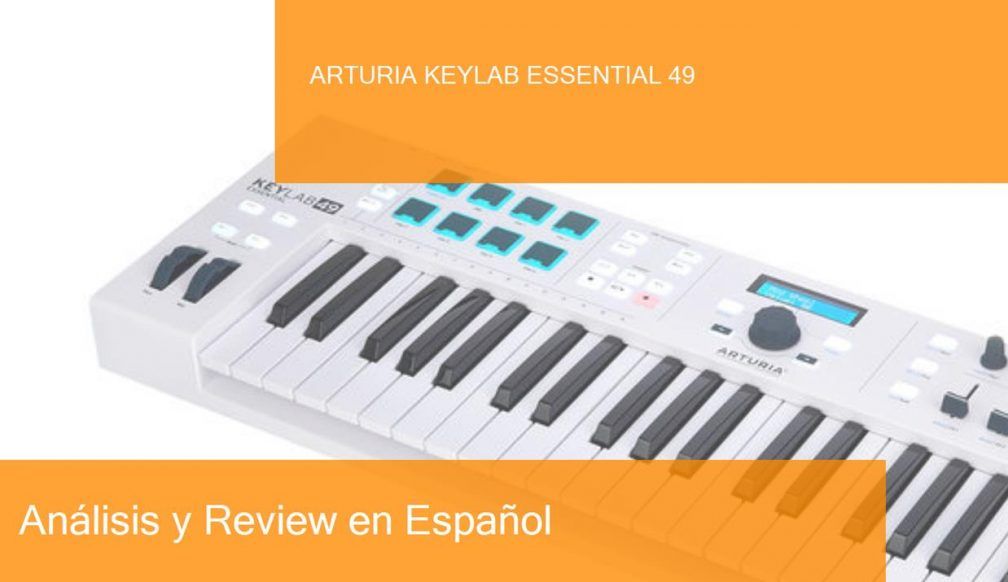
Arturia is a company based in Grenoble, France, specializing in the development of music software and hardware, with products aimed at both amateurs and professionals. I’ll tell you how this post is built. First I list the features of this Arturia KeyLab Essential 49 keyboard. Then you have a video or two, purchase links and useful comments from other users and then you have one of the most useful parts; comparison tables with similar keyboards so you can compare.
- With 49 speed-sensitive keys
- 8 speed-sensitive pads with Aftertouch
- 1 pulse able encoder
- 9 rotating knobs
- 13 buttons
- Transport section with 4 function switches
- LCD screen
- Tone and modulation wheel
- Mode of interpretation of chords
- Compatible with Mackie/HUI protocol
- USB port
- MIDI output
- Connection for sustain pedal
- Input for power supply (not included)
- Native USB support
- Includes Arturia Analog Lab 3, Ableton Live Lite and UVI Grand Piano software
- Dimensions: 784 x 76 x 248mm (width x height x depth)
- Weight: 3Kg
- Attention: Internet connection required to authorize the product

This MIDI keyboard is usually priced at around €199/£177/$199 and offers 49 keys with sensitivity, allowing us to play melodies, rhythms, chords, and so on in our favorite audio software.
It also offers the following control options: 8 speed-sensitive pads with Aftertouch, 1 pushbutton encoder, 9 assignable knobs, 13 assignable buttons, a transport section with 4 function switches (stop, play, rec, etc.) plus pitch bend and modulation wheels.
The Arturia KeyLab Essential 49 also offers a chord performance mode, which allows you to play a chord using only one key, it also has a sustain pedal connection and although it is USB powered, it also has a power supply input, which is sold separately.
Finally, this product includes the Arturia Analog Lab 3, Ableton Live Lite and UVI Grand Piano software licenses. We need an internet connection to authorize the product.
Now that we have seen the features of this Arturia KeyLab Essential 49 keyboard watch these related videos to learn more.
Posts you may be interested in
- Ranking with the best midi keyboards
- My selection of cheap midi keyboards.
- Best MIDI Software to work with.
- MIDI Basic Guide.
- Midi Keyboards by Brand.
Arturia KeyLab Essential 49 vs Native Instruments Komplete Kontrol A49
The Arturia KeyLab Essential 49 MIDI Keyboard is priced at €199/£177/$199 and the Native Instruments Komplete Kontrol A49 is priced at €177/£159/$179, the difference is so small that this can vary. Let’s move on to the face-to-face:
- Both offer 49 speed-sensitive keys, and the Kontrol A49’s are semi-backward, which gives a better quality of touch to your keyboard.
- The Arturia offers 8 speed-sensitive pads with Aftertouch, 1 assignable push encoder, 9 assignable knobs, 13 assignable buttons, a transport section with 4 function switches (rec, play, stop, etc) and pitch bend and modulation wheels.
- The Kontrol A49 offers 8 touch-sensitive encoders, pitch and modulation wheels and a 4D push-button encoder (4 dimensions).
- Both offer a sustain pedal connection and can be USB powered, although the Arturia also has a power supply input.
- The Arturia includes Arturia Analog Lab 3, Ableton Live Lite and UVI Grand Piano software, while the Kontrol A49 includes Komplete effects and instruments: The Gentleman, Monark, Scarbee Mark I, Reaktor Prism, Reaktor Blocks Wired, Reaktor 6 Player, Kontakt 6 Player, Guitar Rig 5 Player, Komplete Kontrol Software, Maschine Essential.
Let’s put the features of these keyboards in a table so you can compare
|
Arturia KeyLab Essential 49 |
Native Instruments Komplete Kontrol A49 |
|---|---|
|
|
We found an interesting comparison, with the Arturia KeyLab Essential 49 which is a good controller with all its control functions, that if you want that, a comprehensive control system for your DAW, that will be your best option. On the other hand, we have the Native Instruments Komplete Kontrol A49 that having fewer functions offers semi-balanced keys and thus also a great number of licenses and effects, which for beginners are very valued. Depending on what you need, you will make the best decision.
And here is a video of the Native Instruments Komplete Kontrol A49
If you want to know more about this option, click on the following link to see the Native Instruments Komplete Kontrol A49 review.
Arturia KeyLab Essential 49 vs Arturia KeyLab Essential 61
The Arturia KeyLab Essential 49 MIDI Keyboard has a price of €199/£177/$199s while the Arturia KeyLab Essential 61 has a price of €239/£215/$240, having a difference of €40 between them. The main difference in their functions is only the number of keys that in the first one we find 4 octaves (49 keys) and in the second one, we have 5 octaves (61 keys). So depending on your space or need you will make your decision. Both are good options.
Let’s put the characteristics of these keyboards in a table so you can compare
|
Arturia KeyLab Essential 49 |
Arturia KeyLab Essential 61 |
|---|---|
|
|
And here’s a video of the Arturia KeyLab Essential 61
If you want to know more about this option, click on the following link to see the Arturia KeyLab Essential 61 review.
Arturia KeyLab Essential 49 vs M-Audio Code 49 Black
The Arturia KeyLab Essential 49 MIDI keyboard and the M-Audio Code 49 Black are priced at €199/£177/$199. At the same price, this will be a very interesting comparison. Let’s take a look at it face-to-face:
- Both offer 49 speed-sensitive keys, and Code 49 has aftertouch.
- The Arturia offers 8 speed-sensitive pads with aftertouch, 1 assignable push encoder, 9 assignable knobs, 13 assignable buttons, a transport section with 4 function switches (rec, play, stop, etc) and pitch bend and modulation wheels.
- The M-Audio Code 49 offers 4 assignable zones for splits and layers, 1 assignable XY control pad for HID control, 16 assignable speed-sensitive pads, 8 assignable knobs, 9 assignable faders, 9 assignable buttons, and a transport control (go to a specific clip point).
- Both offer a sustain pedal connection and can be USB powered, although the Arturia also has a power supply input. And the M-Audio has both a volume pedal and a MIDI input/output connection.
- The Arturia includes Arturia Analog Lab 3, Ableton Live Lite and UVI Grand Piano software, while the M-Audio Code 49 includes Ableton Live Lite, Hybrid 3.0 and Loom by Air Music Technology.
Let’s put the features of these keyboards in a table so you can compare
|
Arturia KeyLab Essential 49 |
M-Audio Code 49 Black |
|---|---|
|
|
We found two quality MIDI controllers, the Arturia KeyLab Essential 49 that we analyzed earlier, with its moderate control functions, and the M-Audio Code 49 that has the following functions: 49 sensitive and aftertouch keys, 1 assignable XY pad control, 16 assignable pads, 8 assignable knobs, 9 assignable faders, 9 assignable buttons and a transport control (for moving around in our session). This is where you’ll find the most features in the M-Audio, and that’s why this is the best choice.
Here’s a video of the M-Audio Code 49 Black keyboard
If you want to know more about this option, click on the following link to see the M-Audio Code 49 Black review.
Arturia KeyLab Essential 49 vs Novation Impulse 49
The Arturia KeyLab Essential 49 MIDI Keyboard is priced at €199/£177/$199 and the Novation Impulse 49 is priced at €223/£205/$228, with a difference of $44. Let’s move on to the face-to-face:
- Both offer 49 speed-sensitive keys, and the Novation’s have aftertouch and are semi-weighted.
- The Arturia offers 8 speed-sensitive pads with aftertouch, 1 assignable push encoder, 9 assignable knobs, 13 assignable buttons, a transport section with 4 function switches (rec, play, stop, etc) and pitch bend and modulation wheels.
- The Novation Impulse 49 offers 8 backlit Drum Pads, 9 55mm Faders, 9 assignable buttons, 8 assignable knobs, 6 transport keys (rec, stop, play, etc), octave up and down keys, beat-roll and clip-launch buttons, and pitch bend and modulation wheels.
- Both offer a sustain pedal connection and can be USB powered, although the Arturia also has a power supply input. And the Novation has an input for an expression pedal.
- The Arturia includes Arturia Analog Lab 3, Ableton Live Lite and UVI Grand Piano software, while the Novation Impulse 49 includes the Xcite+ Software Pack, with Ableton Live Lite.
Let’s put the features of these keyboards in a table so you can compare
|
Arturia KeyLab Essential 49 |
Novation Impulse 49 |
|---|---|
|
|
Again, we find an interesting comparison between the Arturia KeyLab Essential 49 with its moderate controls and the Novation Impulse 49 which offers 8 backlit pads, 9 55mm faders, 9 assignable buttons, 8 assignable knobs, 6 transport keys, pitch and modulation wheels, and more. As you can see the Novation has more functions and according to that, we can say that it is the best option.
And here’s a video of the Novation Impulse 49 keyboard
If you want to know more about this option, click on the following link to see the Novation Impulse 49 review.
Which is the best of these MIDI keyboards if I am a beginner on a low budget?
While the answer to this question lies mostly in what specific need you have, for example, if you want to have a keyboard with the widest range of notes possible, or if you want to have as many control functions as possible, or perhaps a mix between the two, that is without leaving behind the different connections and software licenses that most MIDI controllers offer, we will give an objective opinion according to our experience in music production and thus also with the price demanded by the controllers, a kind of value for money.
In this post, we find MIDI controllers in an average of 200 euros, and our star MIDI controller is the Arturia KeyLab Essential 49, which for a price of 199 euros offers the control functions of pads, encoder, buttons, knobs all of them assignable, besides being compatible with the Mackie/HUI protocol which indicates that DAWs capable of supporting this protocol like Pro Tools, will have great compatibility. Excellent controller for a fair price.
Where to buy the Arturia KeyLab Essential 49
Amazon
- Free Shipping and the possibility of shipping in one day with Amazon Premium.
- Full Guarantee but they are no experts in music equipment.
- Sometimes a better price.
- He’s got worse stock than Thomann.
Thomann
- Free Shipping.
- Full warranty. If you have any problems, they take care of everything.
- 100% reliable payment.
- A leader in trouble-free shipping.
- Usually the Best price.
- Best Reputation: They are the leading online store in Europe and have the best catalog and information.
Also, look at these models with a similar price and features:
- Novation Launchkey Mini MK3
- Akai MPK mini Mk2
- Akai MPK miniplay
- Roli Lightpad Block M Studio Ed.
- Arturia MiniLab MKII
- Roli Beatmaker Kit
- Novation Impulse 25
- Akai MPK mini MK2 white
- Alesis V25
- CME Xkey Air 25
- IK Multimedia iRig Keys I/O 25
- Akai APC Keys 25
- Akai LPK 25
- M-Audio Code 25 black
- Native Instruments Komplete Kontrol A25
- Novation Launchkey Mini MK2
- Alesis V mini
- Arturia MicroLab Black
- Akai LPK 25 wireless
- Akai MPK mini Limited Black
- Arturia MiniLab MKII Inverted Edition
- M-Audio Oxygen 25 Mk4
- Korg nanoKEY Studio
- Swissonic EasyKey 25
- Korg nanoKEY 2 black
- Korg nanoKEY 2 Limited Orange
- Korg nanoKEY 2 Limited Blue
- Akai MPK mini MK2 white – AIEP3 Bdl
- Nektar Impact LX25+
- Novation Launchkey 25 MK2
- Alesis Q25
- Akai MPK 225
- Korg microKEY 25
- Miditech Midistart Music 25
- Alesis VI25
- Korg nanoKEY 2 white
- Arturia MicroLab Blue
- Nektar SE25
- Korg microKEY Air 25
- IK Multimedia iRig Keys 25
- Midiplus X2 mini
- Icon iKeyboard 3X
- Keith McMillen K-Board
- CME Xkey 25 silver
- Native Instruments Komplete Kontrol M32
- Alesis V49
- Arturia Keystep Black Edition
- Swissonic EasyKey 49
- Arturia Keystep
- Arturia KeyLab Essential 49
- Nektar Impact LX49+
- M-Audio Code 49 Black
- IK Multimedia iRig Keys 2 Pro
- M-Audio Keystation 49 MK3
- M-Audio Keystation Mini 32 MK3
- Novation Impulse 49
- Nektar Impact GX 49
- Novation Launchkey 49 Mk2
- Native Instruments Komplete Kontrol A49
- M-Audio Oxygen 49 Mk4
- Alesis Q49 Keyboard Controller
- Roland A-300 Pro
- IK Multimedia iRig Keys I/O 49
- Alesis VI49
- Midiplus AK490
- Alesis Vortex Wireless 2
- M-Audio Axiom Air Mini 32
- Alesis Vortex Wireless 2 Network
- IK Multimedia iRig Keys 37 Pro
- Arturia KeyLab Essential 49 BE
- Haken Audio Continuum Half Size
- CME Xkey 37 LE
- IK Multimedia iRig Keys Pro
- Korg microKEY 49 MkII
- IK Multimedia iRig Keys 2
- Miditech Midistart Music 49
- Roland A-49 Black
- Korg microKEY 37 MkII
- Swissonic ControlKey 49
- Roland A-500 PRO
- Nektar SE49
- Korg microKEY Air 37
- Korg microKEY Air 49
- Roland A-49 White
- Nektar Panorama T4
- Miditech Garagekey mini
- Miditech Minicontrol-32
- Midiplus X3 mini
- Miditech i2-Control 37 Black
- Icon iKeyboard 4X
- Miditech i2-mini 32
- Midiplus X4 mini
- Miditech i2-mini 32 Bluetooth
- Icon iKeyboard 5X
- Acorn Masterkey 49
- M-Audio Code 61 Black
- Arturia KeyLab Essential 61
- Nektar Impact GX 61
- M-Audio Keystation 61 MK3
- Alesis V61
- Native Instruments Komplete Kontrol A61
- Swissonic EasyKey 61
- M-Audio Oxygen 61 Mk4
- Roland A-800 Pro
- Korg microKEY Air 61
- GSi DMC-122
- Nektar Impact LX61+
- Alesis VI61
- Novation Launchkey 61 MK2
- Icon iKeyboard 6X
- Acorn Masterkey 61
- Miditech i2-61 Black Edition
- Midiplus X6 mini
- Korg microKEY 61 MkII
- Midiplus X-6 II
- Viscount Physis Piano K5 EX
- M-Audio Keystation 88 MkII
- Kawai VPC1
- Doepfer LMK2+ 88 GH
- Doepfer LMK4+ 88 GH black
- Swissonic ControlKey 88
- Viscount Physis Piano K4 EX
- Doepfer LMK4+ 88 GH grey
- Nektar Impact LX88+
- Haken Audio Continuum Full Size
- Midiplus Stage 88
- Studiologic Numa Concert
- Icon iKeyboard 8X
- Doepfer LMK2+ 88 GH without Case
- Midiplus X-8 II
- Doepfer LMK4+ 88 GH GR without Case
Review MIDI keyboard Arturia Keystep. Where to buy it?
Arturia is a company based in Grenoble, France, specializing in the development of music software and hardware, with products aimed at both amateurs and professionals. I’ll tell you how this post is built. First I list the features of this Arturia Keystep keyboard, then you have a video or two, purchase links and useful comments from other users and then you have one of the most useful parts; comparison tables with similar keyboards so you can compare.
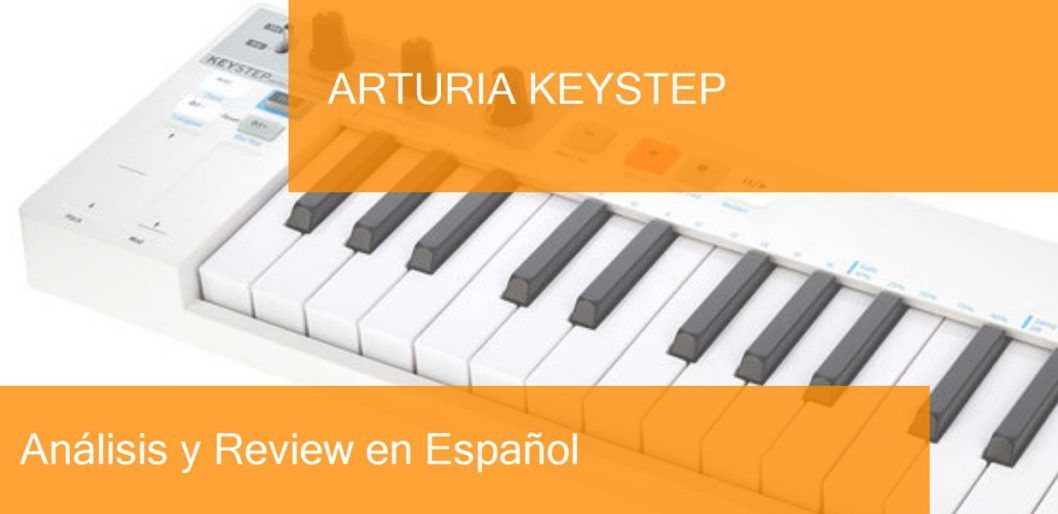
- 32 thin speed and touch-sensitive keys
- Integrated polyphonic step sequencer
- Up to 64 steps and 8 simultaneous step notes
- Eight-Mode Arpeggiator
- Mode of interpretation of chords
- Transposition buttons
- Pitch and modulation touch slider
- Connections: USB, MIDI Input/Output, CV/Port Output, Sync Input/Output, Input for sustain pedal, Input for power supply

Other useful functions of a DAW are the transport buttons (play, rec, etc.) and the touch strips or tactile sliders for pitch bend and modulation.
Since the Arturia Keystep is also a polyphonic sequencer, which means that it can create sequences (loops) with notes that sound at the same time (creating harmonies), it allows us to create up to 64 different steps (sequences) and create loops, be they percussion, bass, harmonies (chords), melodies and so on. With a maximum of 8 notes per step. If you want to understand this in more depth, I recommend you to watch the second video later in the post and it’s called “Why the Arturia KeyStep sequencer is amazing”.
It has the arpeggiator function with eight different modes, and it also has a single note chord performance mode.
The connections it has are USB, MIDI In/Out, CV/Out, Sync In/Out, Sustain Pedal In, Power Supply In.
Now that we have seen the features of this Arturia Keystep keyboard look at these related videos to learn more.
Posts you may be interested in
- Ranking with the best midi keyboards
- My selection of cheap midi keyboards.
- Best MIDI Software to work with.
- MIDI Basic Guide.
- Midi Keyboards by Brand.
Arturia Keystep vs Arturia Keystep Pro
The Arturia Keystep MIDI Keyboard is priced at €102/£89/$101 while the Arturia Keystep Pro is priced at €379/£339/$375. Since we found a superior model, it will be an interesting comparison, let’s go for it.
- Both controllers have 32 thin keys with sensitivity (intensity in MIDI language), aftertouch function (it is a common detection system on keyboards that generates when notes are held), where the Keystep Pro also has the function of having an LED for each key.
- Both have a step sequencer with up to 64 steps, which in the Keystep up to 8 notes of polyphony and in the Keystep Pro up to 16 notes of polyphony).
- Functions that only the Keystep Pro has: 24-part polyrhythmic drum sequencer, step recording, step editing. And a metronome with a speaker included.
- Both have pitch bend and modulation touch sliders.
- The connections for both are USB, MIDI In/Out, CV/Out, Sync In/Out, Sustain Pedal In, Power Supply In.
- And only Keystep Pro has OLED Display, 4 CV / Gate / Mod outputs + 8 gate outputs for 3.5mm mini-jack drums, and 2 MIDI outputs.
Let’s put the features of these keyboards in a table so you can compare
|
Arturia Keystep |
Arturia Keystep Pro |
|---|---|
|
|
As we can see in many of its sequencer functions the Arturia Keystep Pro, outperforms its younger brother, so if you have a goal to produce electronic music or sequences and a style like that the Arturia Keystep Pro will be a great choice. If you are looking for a more basic MIDI controller with sequencer functionality, the Arturia Keystep Pro is for you.
And here’s a video of the Arturia Keystep Pro
Arturia Keystep vs Arturia MiniLab MKII
The Arturia Keystep MIDI Keyboard has a price of €102/£89/$101 when the Arturia MiniLab MKII has a price of €91/£82/$91, but this can change according to the store where you quote the price.
- While the Keystep has 32 thin keys with sensitivity and aftertouch, the MiniLab MKII, offers 25 mini keys with sensitivity.
- As the Keystep is a polyphonic sequencer, it offers up to 64 steps and 8 notes of polyphony.
- The Keystep offers transport buttons and touch sliders for pitch bend and modulation, while the MiniLab MKII offers 16 assignable knobs (2 of which can be clicked), 8 sensitive and backlit pads, and also touch sliders for pitch bend and modulation.
- The connections for both are USB, MIDI Input/Output, Input for sustain pedal, Input for power supply. And the Keystep has CV/Port output, Sync input/output.
- Since the MiniLab focuses on production using DAWs, it includes the licenses for Analog Lab Lite with 500 sounds in V-Collection 5 quality, Ableton Live Lite, and UVI Grand Piano (software requires a download from manufacturer’s website).
Let’s put the features of these keyboards in a table so you can compare
|
Arturia Keystep |
Arturia MiniLab MKII |
|---|---|
|
|
In this comparison, on the one hand, we have a MIDI controller, which is the Arturia Keystep, with a greater number of keys and sequencer functions. On the other hand, we have a MIDI controller, with keys and pads, as well as certain licenses that are mostly valued for beginners. If you need or work with sequences the Keystep will be your best option, if you prefer the Pads and licenses the MiniLab MKII is for you.
Here’s a video of the Arturia MiniLab MKII keyboard
If you want to know more about this option, click on the following link to see the Arturia MiniLab MKII review.
Arturia Keystep vs Arturia KeyLab 88 MkII
The Arturia Keystep MIDI Keyboard has a value of €102/£89/$101 while the Arturia KeyLab 88 MkII has a value of €875/£789/$867, a difference so big that it will be logical to have more and better features. Let’s go head to head:
- While the Keystep has 32 thin keys with sensitivity and aftertouch, the KeyLab 88 MKII, offers us 88 keys with sensitivity, aftertouch. And it’s a Fatar plywood keyboard, with hammer action.
- As the Keystep is a polyphonic sequencer, it offers up to 64 steps and 8 polyphonic notes.
- The Keystep features transport buttons and touch sliders for pitch bend and modulation, while the KeyLab 88 MKII features 9 assignable knobs, 16 sensitive and backlit pads, 9 faders (widely used in the mixing of any DAW), and also touch sliders for pitch bend and modulation, not to mention transport buttons.
- The connections of both are USB, MIDI Input/Output, Input for sustain pedal, Input for power supply. And the KeyLab has CV/Port Output, Sync In/Out. 3 assignable pedal inputs 6.3 mm jack, CV input, and 3.5 mm mini-jack also Tone and Door 3.5 mm mini-jack output. As you can see it is a more complete controller.
- The KeyLab 88 MKII includes magnetic templates for Ableton Live, Logic Pro X, Pro Tools, Cubase, Studio One, Reaper and Mackie/HUI configurations and a score/iPad holder. Plus a removable laptop rack.
Let’s put the features of these keyboards in a table so you can compare
|
Arturia Keystep |
Arturia KeyLab 88 MkII |
|---|---|
|
|
As we said from the beginning, the difference was going to be something big, and it really is. The Arturia Keystep is a controller/sequencer with basic functions, which is not bad for its price, but if we compare it to the KeyLab 88 MKII, it will look like a toy. The KeyLab 88 MKII has a grand piano keyboard with a very good quality, and many features and connections that make it a very useful music production tool, we invite you to watch the following video to see the possibilities that this product offers us.
If you want to know more about this option, click on the following link to see the Arturia KeyLab 88 MkII review.
Arturia Keystep vs Arturia MicroLab Black
The Arturia Keystep MIDI Keyboard has, as mentioned above, a price of €102/£89/$101, and the Arturia MicroLab Black has a price of €79/£71/$78. Unlike the last comparison, we now have an even more minimalist product than the Keystep. Let’s go head to head:
- While the Keystep has 32 thin keys with sensitivity and aftertouch, the MicroLab Black, offers us 25 mini keys (slightly larger than similar) with sensitivity.
- As the Keystep is a polyphonic sequencer, it offers us up to 64 steps and 8 notes of polyphony.
- The Keystep offers transport buttons and tactile sliders for pitch bend and modulation, while the Microlab Black offers tactile sliders for pitch bend and modulation and sustain and shift keys.
- The Keystep’s connections: USB, MIDI In/Out, Sustain Pedal In, Power Supply In, CV/Port Out, Sync In/Out, And the MicroLab USB connection only.
- Since the MiniLab focuses on production using DAWs, it includes the licenses for Analog Lab Lite with 500 sounds in V-Collection 5 quality, Ableton Live Lite, and UVI Grand Piano (software requires a download from manufacturer’s website). The MicroLab includes Analog Lab Lite with over 500 presets in V-Collection quality, UVI Grand Piano Model D, and the Bitwig 8-Track DAW
Let’s put the features of these keyboards in a table so you can compare
|
Arturia Keystep |
Arturia MicroLab Black |
|---|---|
|
|
As mentioned in the introduction to this comparison, there are two minimalist models of MIDI controllers, on the one hand, the Arturia Keystep, a MIDI controller with sequencer functions as well, and on the other hand the Arturia MicroLab with 25 keys, and 2 touch sliders for pitch bend and modulation. Both are good options, but if your budget allows, go to the Arturia Keystep.
And here’s a video of the Arturia MicroLab Black keyboard
If you want to know more about this option, click on the following link to see the Arturia MicroLab Black review.
Arturia Keystep vs Korg microKEY 25
The Arturia Keystep MIDI Keyboard has a price of €102/£89/$101 when the Korg microKEY 25 has a price of €58/£55/$60, costing almost half as much as the first one, we are sure to find relevant differences.
- While the Arturia has 32 thin keys with sensitivity and aftertouch, the Korg, offers us 25 mini keys with Natural Touch.
- As the Arturia is a polyphonic sequencer, it offers us up to 64 steps and 8 notes of polyphony.
- The Arturia offers transport buttons and tactile sliders for pitch bend and modulation, while the Microlab Black offers a joystick for pitch bend and modulation and keys for up and down octaves.
- The connections of the Keystep: USB, MIDI In/Out, Input for sustain pedal, Input for power supply, CV/Output, Sync In/Out. And the MicroLab only USB connection.
- Since the MiniLab focuses on production using DAWs, it includes the licenses for Analog Lab Lite with 500 sounds in V-Collection 5 quality, Ableton Live Lite, and UVI Grand Piano (software requires a download from manufacturer’s website). The Korg includes Korg M1LE Software-Synth, Lizzard Session, Toontrack EZDrummer Lite.
Let’s put the features of these keyboards in a table so you can compare
|
Arturia Keystep |
Korg microKEY 25 |
|---|---|
|
|
Like the last comparison, we found two MIDI controllers with good performance, where the Arturia also has sequencer options, and the Korg only offers us a 25-key mini keyboard, a pitch bend, and modulation joystick, and up/down an octave. For the price the Korg, not bad, and is for beginners in music production.
And here is a video of the Korg microKEY 25 keyboard
If you want to know more about this option, click on the following link to see the Korg microKEY 25 review.
Which is the best of these MIDI keyboards if I am a beginner on a low budget?
While the answer to this question lies mostly in what specific need you have, for example, if you want to have a keyboard with the widest range of notes possible, or if you want to have as many control functions as possible, or perhaps a mix between the two, that is without leaving behind the different connections and software licenses that most MIDI controllers offer, we will give an objective opinion according to our experience in music production and thus also with the price demanded by the controllers, a kind of value for money.
Here we will mention two pieces of equipment because certain equipment has apart from the MIDI controller function, they also have the polyphonic sequencer function. On the one hand, we will mention the Arturia Keystep which is really a great piece of equipment, and where it stands out is in its function as a polyphonic sequencer. And as a second MIDI keyboard, we will talk about the Arturia MiniLab MKII that its low price offers us 25 mini-keys and certain control functions that will be very useful in the different fields of music production.
Where to buy the Arturia Keystep keyboard
Amazon
- Free Shipping and the possibility of shipping in one day with Amazon Premium.
- Full Guarantee but they are no experts in music equipment.
- Sometimes a better price.
- He’s got worse stock than Thomann.
Thomann
- Free Shipping.
- Full warranty. If you have any problems, they take care of everything.
- 100% reliable payment.
- A leader in trouble-free shipping.
- Usually the Best price.
- Best Reputation: They are the leading online store in Europe and have the best catalog and information.
Also, look at these models with a similar price and features:
- Novation Launchkey Mini MK3
- Akai MPK mini Mk2
- Akai MPK miniplay
- Roli Lightpad Block M Studio Ed.
- Arturia MiniLab MKII
- Roli Beatmaker Kit
- Novation Impulse 25
- Akai MPK mini MK2 white
- Alesis V25
- CME Xkey Air 25
- IK Multimedia iRig Keys I/O 25
- Akai APC Keys 25
- Akai LPK 25
- M-Audio Code 25 black
- Native Instruments Komplete Kontrol A25
- Novation Launchkey Mini MK2
- Alesis V mini
- Arturia MicroLab Black
- Akai LPK 25 wireless
- Akai MPK mini Limited Black
- Arturia MiniLab MKII Inverted Edition
- M-Audio Oxygen 25 Mk4
- Korg nanoKEY Studio
- Swissonic EasyKey 25
- Korg nanoKEY 2 black
- Korg nanoKEY 2 Limited Orange
- Korg nanoKEY 2 Limited Blue
- Akai MPK mini MK2 white – AIEP3 Bdl
- Nektar Impact LX25+
- Novation Launchkey 25 MK2
- Alesis Q25
- Akai MPK 225
- Korg microKEY 25
- Miditech Midistart Music 25
- Alesis VI25
- Korg nanoKEY 2 white
- Arturia MicroLab Blue
- Nektar SE25
- Korg microKEY Air 25
- IK Multimedia iRig Keys 25
- Midiplus X2 mini
- Icon iKeyboard 3X
- Keith McMillen K-Board
- CME Xkey 25 silver
- Native Instruments Komplete Kontrol M32
- Alesis V49
- Arturia Keystep Black Edition
- Swissonic EasyKey 49
- Arturia Keystep
- Arturia KeyLab Essential 49
- Nektar Impact LX49+
- M-Audio Code 49 Black
- IK Multimedia iRig Keys 2 Pro
- M-Audio Keystation 49 MK3
- M-Audio Keystation Mini 32 MK3
- Novation Impulse 49
- Nektar Impact GX 49
- Novation Launchkey 49 Mk2
- Native Instruments Komplete Kontrol A49
- M-Audio Oxygen 49 Mk4
- Alesis Q49 Keyboard Controller
- Roland A-300 Pro
- IK Multimedia iRig Keys I/O 49
- Alesis VI49
- Midiplus AK490
- Alesis Vortex Wireless 2
- M-Audio Axiom Air Mini 32
- Alesis Vortex Wireless 2 Network
- IK Multimedia iRig Keys 37 Pro
- Arturia KeyLab Essential 49 BE
- Haken Audio Continuum Half Size
- CME Xkey 37 LE
- IK Multimedia iRig Keys Pro
- Korg microKEY 49 MkII
- IK Multimedia iRig Keys 2
- Miditech Midistart Music 49
- Roland A-49 Black
- Korg microKEY 37 MkII
- Swissonic ControlKey 49
- Roland A-500 PRO
- Nektar SE49
- Korg microKEY Air 37
- Korg microKEY Air 49
- Roland A-49 White
- Nektar Panorama T4
- Miditech Garagekey mini
- Miditech Minicontrol-32
- Midiplus X3 mini
- Miditech i2-Control 37 Black
- Icon iKeyboard 4X
- Miditech i2-mini 32
- Midiplus X4 mini
- Miditech i2-mini 32 Bluetooth
- Icon iKeyboard 5X
- Acorn Masterkey 49
- M-Audio Code 61 Black
- Arturia KeyLab Essential 61
- Nektar Impact GX 61
- M-Audio Keystation 61 MK3
- Alesis V61
- Native Instruments Komplete Kontrol A61
- Swissonic EasyKey 61
- M-Audio Oxygen 61 Mk4
- Roland A-800 Pro
- Korg microKEY Air 61
- GSi DMC-122
- Nektar Impact LX61+
- Alesis VI61
- Novation Launchkey 61 MK2
- Icon iKeyboard 6X
- Acorn Masterkey 61
- Miditech i2-61 Black Edition
- Midiplus X6 mini
- Korg microKEY 61 MkII
- Midiplus X-6 II
- Viscount Physis Piano K5 EX
- M-Audio Keystation 88 MkII
- Kawai VPC1
- Doepfer LMK2+ 88 GH
- Doepfer LMK4+ 88 GH black
- Swissonic ControlKey 88
- Viscount Physis Piano K4 EX
- Doepfer LMK4+ 88 GH grey
- Nektar Impact LX88+
- Haken Audio Continuum Full Size
- Midiplus Stage 88
- Studiologic Numa Concert
- Icon iKeyboard 8X
- Doepfer LMK2+ 88 GH without Case
- Midiplus X-8 II
- Doepfer LMK4+ 88 GH GR without Case
Review MIDI keyboard Swissonic EasyKey 49. Where to buy it?
I’ll tell you how this post is built. First I list the features of the Swissonic EasyKey 49 keyboard. Then you have a video or two, purchase links and useful comments from other users and then you have one of the most useful parts; comparison tables with similar keyboards so you can compare.
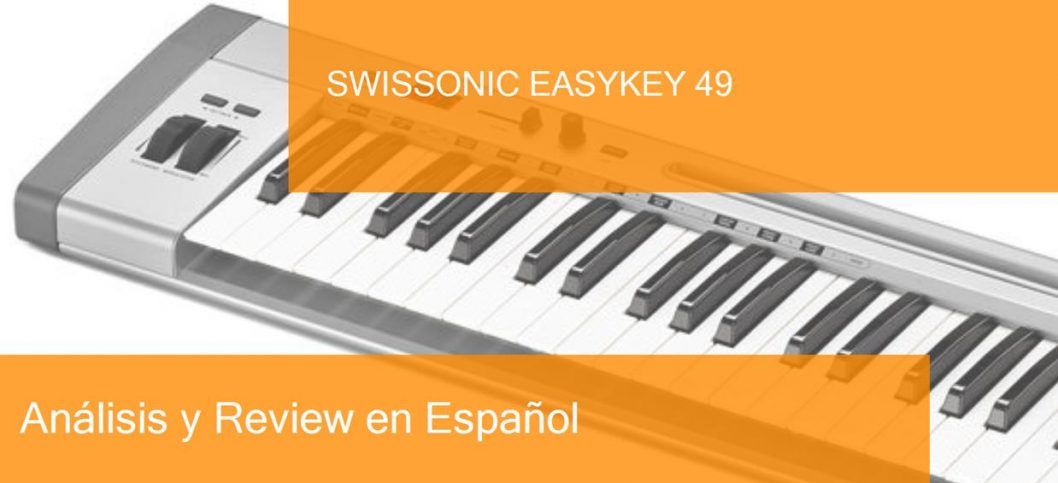
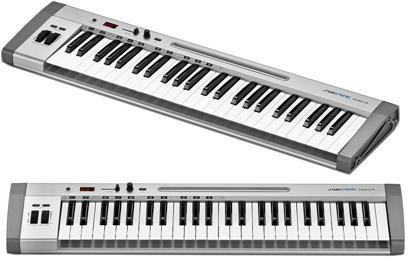
- 49 Full-size velocity sensitive secrets
- Aluminium housing with side synthetic panels
- Pitch flex- and modulation wheel
- LED Display
- 1 Fader for volume control
- 1 Programmable rotary encoder
- Octave key to transpose the pitch associated with the whole keyboard
- 1 pedal (The most important pedal of a piano or keyboard is the sustain pedal and is used to keep the note playing even if you stop pressing the key.) connector
- 1 midi (MIDI allows you to do such wonderful things as connect the keyboard to the computer, record a soundtrack and with certain programs pass with a click what you have played to musical notes in a score. MIDI tracks store information from musical notes) Out
- Powered by USB
- Compatible with Windows Vista, XP (SP1 and greater), Windows 7, Windows 8, Windows 10 and Mac OS X
- Dimensions (WxHxD): 825 x 210 x 68 mm
- Weight: 4.77 kg
- Incl. 1 m USB Cable and Thomann Studio Starter Kit LE (software packet with DAW software, computer software synthesizers, as well as impacts plugins)
Now that we’ve seen the features of this keyboard Swissonic EasyKey 49 watch these related videos to learn more.
Post you may be interested in
- Ranking with the best midi keyboards
- My selection of cheap midi keyboards.
- Best MIDI Software to work with.
- MIDI Basic Guide.
- Midi Keyboards by Brand.
Some comments from people who come to the forum about this model:
Comment:
I received the keyboard March 12th. Nonetheless, one key wasn’t working correctly, as no touch ended up being had by it sensitivity. Very little I could do about any of it, Thomann handled the situation and delivered me a return solution.
On April 8th i receive the replacement product, which was to my bad luck broken as well. This time around one key wasn’t offering any signal/sound at all. A hole had been noticed in the transport field.
April 28th I receive the 2nd replacement item. That one had been faultless.
the merchandise itself is made from an aluminum housing as well as (just what feels as though) synthetic edges. Extremely pleased. The tips are not really synth-action. Somewhere between synth and semi-weighted. Also very pleased. The fader (that also has a numerical LED) and knob is asignable to whichever CC of selecting. Pitch and modwheel feels good, octave buttons are responsive and indicate which octave you are playing in.
The big astreix for me will be perhaps the construction or packaging had been the reason for the product being DOA 2 times. Therefor 1 stars off in quality (otherwise, the grade of this keyboard is very good for such a minimal price).
If you need more knobs or a far more detail by detail screen, do look elsewhere. Otherwise I would happily recommend this 1 proper who simply needs to relax and play / record.
Comment:
For months I had been researching various MIDI keyboards with 49 secrets, which I can use merely to play piano plugins from my iPad. I didn’t require any fancy features like an array of knobs, sliders and pad, but alternatively a keyboard that is solid complete size secrets that is iOS suitable. The EasyKey 49 had been just what I wanted.
It has a solid aluminum housing, the side panel are plastic that appear and feel good. I am very happy aided by the secrets, they feel well, though they’re not fully weighted but that was not at all something that I needed anyway.
I particularly like the sheet owner which well fits my iPad inside too. The MIDI out connection can also be a large plus for me personally, just in case if I have a desktop synth which I could then get a handle on with the EasyKey.
The keyboard includes a CD which includes some computer software. I don’t possess a pc in my household which includes a CD drive and I don’t have an CD that is external either, so I was not in a position to test the contents. It’s not important for me, so no biggie. Nevertheless, possibly Thomann could explore an alternative to provide a version that is down load of pc software. I may possibly not be the consumer that is just a CD drive. Or even they might simply offer a download link and skip the entire CD thing (maybe saving also some costs).
If you wonder why I’m addressing Thomann above, it is because the Swissonic brand name is the house brand, and I have to state that it is an excellent product on par with all my experiences with Thomann up to now.
All in all, if you are looking for a straightforward but a solid keyboard to try out your digital synths or pianos, without the need to modify any parameters, then I can just only recommend the Easykey 49.
Swissonic EasyKey 49 vs Akai MPK mini Mk2
The keyboard Swissonic EasyKey 49is usually 19 € cheaper than Akai MPK mini Mk2, but the difference is so small that this can vary..
And then a video of the keyboard
|
Swissonic EasyKey 49 |
Akai MPK mini Mk2 |
|---|---|
|
|
And then a video of the keyboardAkai MPK mini Mk2
If you want to know more about this option, click on the following link to see the Akai MPK mini Mk2 review
Swissonic EasyKey 49 vs Akai LPK 25
The keyboard Swissonic EasyKey 49 is usually 25 € more expensive than Akai LPK 25, but the difference is so small that this can vary..
And then a video of the keyboard
|
Swissonic EasyKey 49 |
Akai LPK 25 |
|---|---|
|
|
And then a video of the keyboardAkai LPK 25
If you want to know more about this option, click on the following link to see the Akai LPK 25 review
Swissonic EasyKey 49 vs Arturia Keystep
The keyboard Swissonic EasyKey 49is usually 42 € cheaper than Arturia Keystep, but the difference is so small that this can vary..
And then a video of the keyboard
|
Swissonic EasyKey 49 |
Arturia Keystep |
|---|---|
|
|
And then a video of the keyboardArturia Keystep
If you want to know more about this option, click on the following link to see the Arturia Keystep review
Where to buy the keyboard Swissonic EasyKey 49
Thomann
- Free Shipping.
- Full warranty. If you have any problems, they take care of everything.
- 100% reliable payment.
- Leader in trouble-free shipping.
- Usually Best price.
- Best Reputation: They are the leading online store in Europe and have the best catalogue and information.
Amazon
- Free Shipping and possibility of shipping in one day with Amazon Premium.
- Full Guarantee but they are no experts in music equipment.
- Sometimes better price.
- He’s got worse stock than Thomann.
Also look at these models with a similar price and features:
- Novation Launchkey Mini MK3
- Akai MPK mini Mk2
- Akai MPK miniplay
- Roli Lightpad Block M Studio Ed.
- Arturia MiniLab MKII
- Roli Beatmaker Kit
- Novation Impulse 25
- Akai MPK mini MK2 white
- Alesis V25
- CME Xkey Air 25
- IK Multimedia iRig Keys I/O 25
- Akai APC Keys 25
- Akai LPK 25
- M-Audio Code 25 black
- Native Instruments Komplete Kontrol A25
- Novation Launchkey Mini MK2
- Alesis V mini
- Arturia MicroLab Black
- Akai LPK 25 wireless
- Akai MPK mini Limited Black
- Arturia MiniLab MKII Inverted Edition
- M-Audio Oxygen 25 Mk4
- Korg nanoKEY Studio
- Swissonic EasyKey 25
- Korg nanoKEY 2 black
- Korg nanoKEY 2 Limited Orange
- Korg nanoKEY 2 Limited Blue
- Akai MPK mini MK2 white – AIEP3 Bdl
- Nektar Impact LX25+
- Novation Launchkey 25 MK2
- Alesis Q25
- Akai MPK 225
- Korg microKEY 25
- Miditech Midistart Music 25
- Alesis VI25
- Korg nanoKEY 2 white
- Arturia MicroLab Blue
- Nektar SE25
- Korg microKEY Air 25
- IK Multimedia iRig Keys 25
- Midiplus X2 mini
- Icon iKeyboard 3X
- Keith McMillen K-Board
- CME Xkey 25 silver
- Native Instruments Komplete Kontrol M32
- Alesis V49
- Arturia Keystep Black Edition
- Swissonic EasyKey 49
- Arturia Keystep
- Arturia KeyLab Essential 49
- Nektar Impact LX49+
- M-Audio Code 49 Black
- IK Multimedia iRig Keys 2 Pro
- M-Audio Keystation 49 MK3
- M-Audio Keystation Mini 32 MK3
- Novation Impulse 49
- Nektar Impact GX 49
- Novation Launchkey 49 Mk2
- Native Instruments Komplete Kontrol A49
- M-Audio Oxygen 49 Mk4
- Alesis Q49 Keyboard Controller
- Roland A-300 Pro
- IK Multimedia iRig Keys I/O 49
- Alesis VI49
- Midiplus AK490
- Alesis Vortex Wireless 2
- M-Audio Axiom Air Mini 32
- Alesis Vortex Wireless 2 Red
- IK Multimedia iRig Keys 37 Pro
- Arturia KeyLab Essential 49 BE
- Haken Audio Continuum Half Size
- CME Xkey 37 LE
- IK Multimedia iRig Keys Pro
- Korg microKEY 49 MkII
- IK Multimedia iRig Keys 2
- Miditech Midistart Music 49
- Roland A-49 Black
- Korg microKEY 37 MkII
- Swissonic ControlKey 49
- Roland A-500 PRO
- Nektar SE49
- Korg microKEY Air 37
- Korg microKEY Air 49
- Roland A-49 White
- Nektar Panorama T4
- Miditech Garagekey mini
- Miditech Minicontrol-32
- Midiplus X3 mini
- Miditech i2-Control 37 Black
- Icon iKeyboard 4X
- Miditech i2-mini 32
- Midiplus X4 mini
- Miditech i2-mini 32 Bluetooth
- Icon iKeyboard 5X
- Acorn Masterkey 49
- M-Audio Code 61 Black
- Arturia KeyLab Essential 61
- Nektar Impact GX 61
- M-Audio Keystation 61 MK3
- Alesis V61
- Native Instruments Komplete Kontrol A61
- Swissonic EasyKey 61
- M-Audio Oxygen 61 Mk4
- Roland A-800 Pro
- Korg microKEY Air 61
- GSi DMC-122
- Nektar Impact LX61+
- Alesis VI61
- Novation Launchkey 61 MK2
- Icon iKeyboard 6X
- Acorn Masterkey 61
- Miditech i2-61 Black Edition
- Midiplus X6 mini
- Korg microKEY 61 MkII
- Midiplus X-6 II
- Viscount Physis Piano K5 EX
- M-Audio Keystation 88 MkII
- Kawai VPC1
- Doepfer LMK2+ 88 GH
- Doepfer LMK4+ 88 GH black
- Swissonic ControlKey 88
- Viscount Physis Piano K4 EX
- Doepfer LMK4+ 88 GH grey
- Nektar Impact LX88+
- Haken Audio Continuum Full Size
- Midiplus Stage 88
- Studiologic Numa Concert
- Icon iKeyboard 8X
- Doepfer LMK2+ 88 GH without Case
- Midiplus X-8 II
- Doepfer LMK4+ 88 GH GR without Case